Window projection setup – Turn your window into a Christmas canvas
Window projection setup is an easy and magical way to turn a plain pane into a glowing display for the holidays. If you are new to this, the idea may sound technical. But you can get a great result with simple gear and a bit of planning. In this intro I walk you through the basics. I cover which film to use, what projector type works best, how to position gear, and simple safety tips. By the end you will feel ready to try your own festive window projection. The goal here is to lower the barrier. I want you to feel confident, not overwhelmed. I write as a friend who has tried a few setups and learned from mistakes. Expect short, practical steps. Expect tips for Australian homes and evening light. Expect safe handling ideas for cables and heat. You will also get creative cues so your display feels unique. Start small. Test one window first. That keeps costs down and builds your confidence.
Choosing gear and the right projection film
Window projection setup starts with choosing the right hardware and film. For film you have two main options: rear-projection adhesive film and static cling front-projection film. Rear-projection film gives better contrast at night and reduces reflection. It often needs to be applied to the glass from the inside. Front-projection film can hang on the window and works well when you can position the projector in front of the glass. In Australia many people prefer static cling film for easy testing. It peels off without residue and is great for landlords. When it comes to projectors, look at brightness first. Aim for at least 2000 lumens for a clear image in evening light, and 3000 lumens if there is street lighting nearby. Short-throw projectors are useful if you have limited space inside. They let you get large images from a short distance. Compact LED projectors are easy to mount and run cooler than older lamp models. Check the native resolution too. 1080p gives crisp details for text and festive graphics. For animations, a projector with smooth frame handling helps. Also think about lenses and keystone correction. Mechanical lens shift is best, but digital keystone can help in a pinch. Finally, pick a projector with a reliable remote and simple input options like HDMI or wireless casting. That makes content changes quick and stress-free on the night.
Placement, distance and framing the image
Window projection setup depends heavily on placement. Measure your window first. Note height, width, and any mullions that will break the image. Then plan where the projector will sit. If you use a short-throw model, you can place it close to the window, sometimes just 50–100 cm away. Standard projectors need more space. A 2–3 metre throw might be required to fill a typical living-room window. Make a simple diagram. Mark projector location, power outlet, and cable runs. Mounts on shelves, tripods, or ceiling mounts all work. Shelves let you hide cables behind curtains. Tripods are flexible for testing. Ceiling mounts are tidy for seasonal installs. Keep the projector lens perpendicular to the screen plane if possible to avoid heavy keystone correction. If you must angle it, use minimal digital correction to preserve image quality. Also consider the window frame as a natural border. Use masking tape on glass edges or a thin black border in your content to hide seams and give a polished look. If outdoor observers will view from below or above, test from those angles. Your setup must look good from the most common viewer spot on the street or footpath.
Brightness, ambient light and timing for best visibility
Window projection setup is heavily affected by ambient light. Evening dusk gives the best balance between visibility and atmosphere. In Australia, sunset times change a lot by season. Plan your projection to start as soon as the sky darkens. If you want earlier shows, increase projector lumens or use darker backgrounds in your content. Contrast is king. Use bold shapes and high-contrast colors so details read from the street. Avoid thin text and fine lines. For very bright streets, a higher-lumen projector or rear-projection film with a blackout backing helps. Also test at different distances. Walk the footpath and stand where viewers will likely be. You might need to tweak brightness, contrast settings, or gain on the film to get the desired effect. Night after night, check bulbs and projector fans. Heat can reduce brightness over long shows. Consider running scheduled breaks so your projector cools down. Finally, if you’re in a heavy-traffic area, plan short loops of content. Short, looping animations capture attention without being distracting for drivers.
Power, cable management and safety tips
Window projection setup must be safe and neat. Start by planning power needs. Use a dedicated outlet if possible. Avoid daisy-chaining heavy gear. Use a surge protector rated for AV equipment. If cables cross walkways, secure them with floor tape or cable covers. For outdoor runs, use weatherproof cable sleeves and keep connectors off the ground. Never leave power supplies on flammable surfaces overnight. Projectors can get hot. Place them on stable, non-flammable supports. Keep vents clear. If mounting near curtains, allow at least 30 cm clearance, and use a heat-resistant mount if available. For Australian homes, consider insects and humidity. Seal connections to avoid corrosion. If you install film or mounts on rented property, get written permission first. Test everything before your first public night. Run a full dress rehearsal. Check audio levels if you use sound. Label your breakers and keep a small toolkit and spare settings notes handy. That saves the night when a quick fix is needed. These small steps make your display both professional and safe.
Creative content, testing and community tips
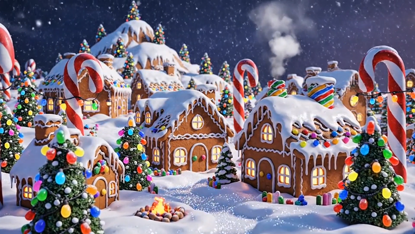
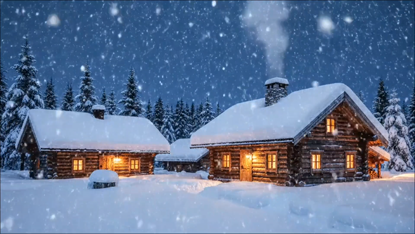
Window projection setup is also about the content you choose. For Christmas, seasonal loops work best: falling snow, subtle lights, or a short animated greeting. Use bold shapes and large fonts for readability from the street. If you can, customise content with your house number or a friendly message. Test content in place. Play loops and watch from multiple outside positions. Note any reflections or glare from streetlights and adjust colors or add a thin dark border. Keep file formats simple. A single MP4 loop is easy and reliable. Use a small media player like a Chromecast, a stick PC, or a simple USB playback from the projector if supported. For neighbour-friendly shows, limit volume and avoid flashing patterns that could bother pets or drivers. Finally, get inspired by local events. Community groups often appreciate tasteful displays. You can coordinate timings so your projection complements public light shows without competing with them. Have fun and refine. Each year you can add new layers and improve your setup with small upgrades.
Popular projections